> For the complete documentation index, see [llms.txt](https://docs.jakarto.com/guide-jakartowns/llms.txt). Markdown versions of documentation pages are available by appending `.md` to page URLs; this page is available as [Markdown](https://docs.jakarto.com/guide-jakartowns/en/getting-started-with-jakartowns/styles_affichage.md).
# Customizing the Display
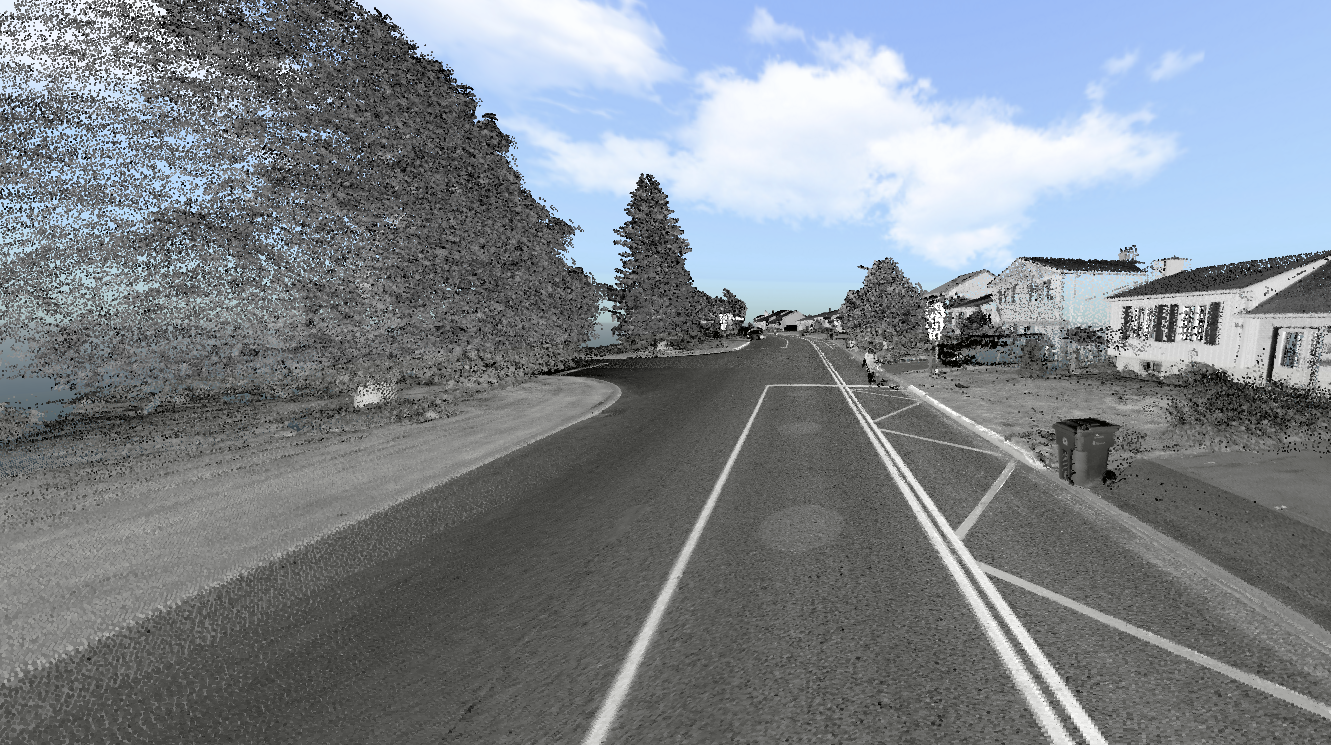
Point clouds displayed in the main view can be colorized using several styles, each highlighting a different property of the data. The style is selected from the toolbar.
## Colorization by Intensity
**LiDAR** is an active sensor that emits a light source (laser) toward an object. When it reaches the object, part of the light is absorbed and another part is reflected back to the sensor. **Intensity** corresponds to the amount of light received by the sensor, revealing the optical properties of the objects.
This colorization method distinguishes objects based on their capacity to absorb light, offering an extremely detailed view of surface characteristics.
A filter can be applied to intensity to restrict the display to a specific range.
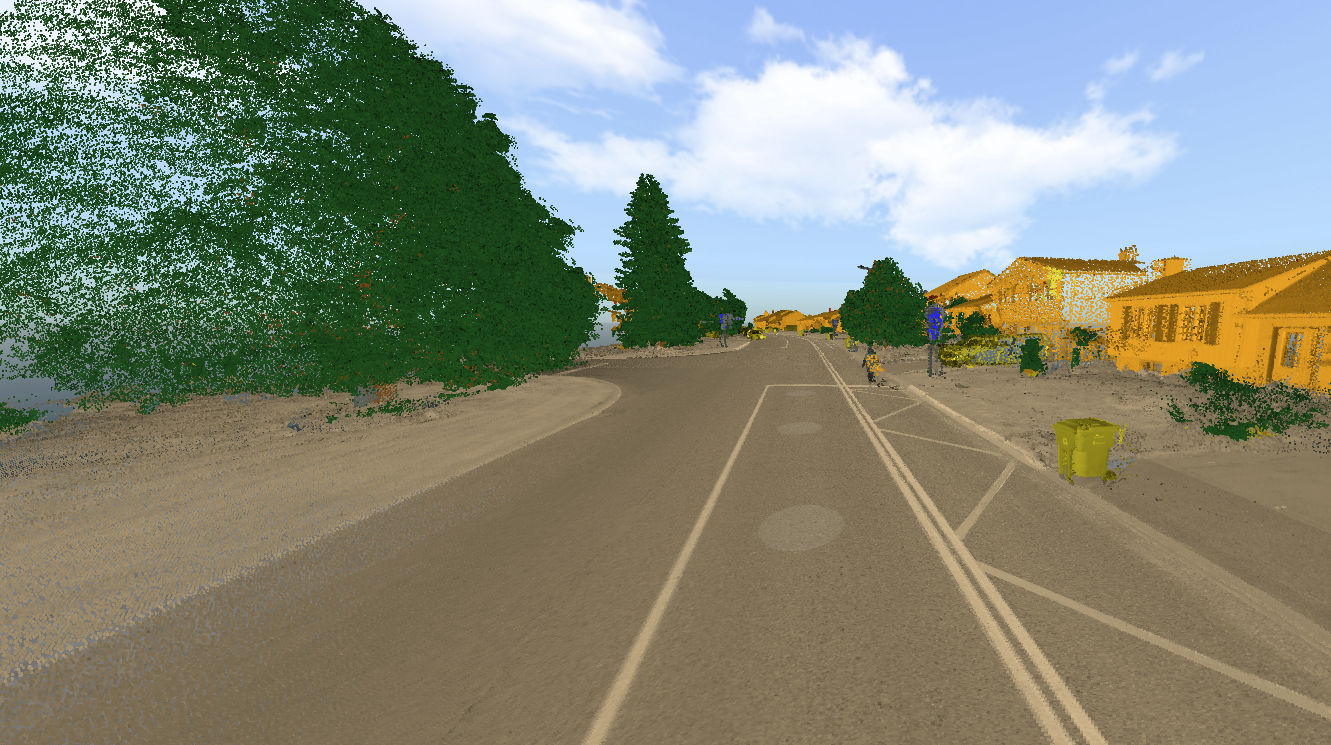
## Colorization by Classification
Points are colorized according to their classification, performed using an artificial intelligence algorithm. Each category is represented by a distinct color:
* Vegetation: green and brown for foliage and trunks
* Buildings: orange
* Ground: beige
* Cables: red
* Poles: gray
* Vehicles and other objects: yellow
## Colorization from Images
Each point in the cloud is colorized using the pixels of a corresponding image, providing a realistic 3D visualization.
> **Important**: This feature is available for Jakarto's 2025+ data. If this colorization isn't available, points will display using intensity.
## Colorization by Elevation
Points are colorized according to their elevation using a cyclical color scale. Colors repeat every 10 meters. This method makes it easy to visualize height variations in the environment.
## Colorization by Depth
Points are colorized based on their distance from the user's position. The color scale is adjustable to better represent the relevant distances.