> For the complete documentation index, see [llms.txt](https://docs.jakarto.com/guide-jakartowns/llms.txt). Markdown versions of documentation pages are available by appending `.md` to page URLs; this page is available as [Markdown](https://docs.jakarto.com/guide-jakartowns/en/specialized-tools/detection-empietement-vegetation.md).
# Detecting Vegetation Encroachment
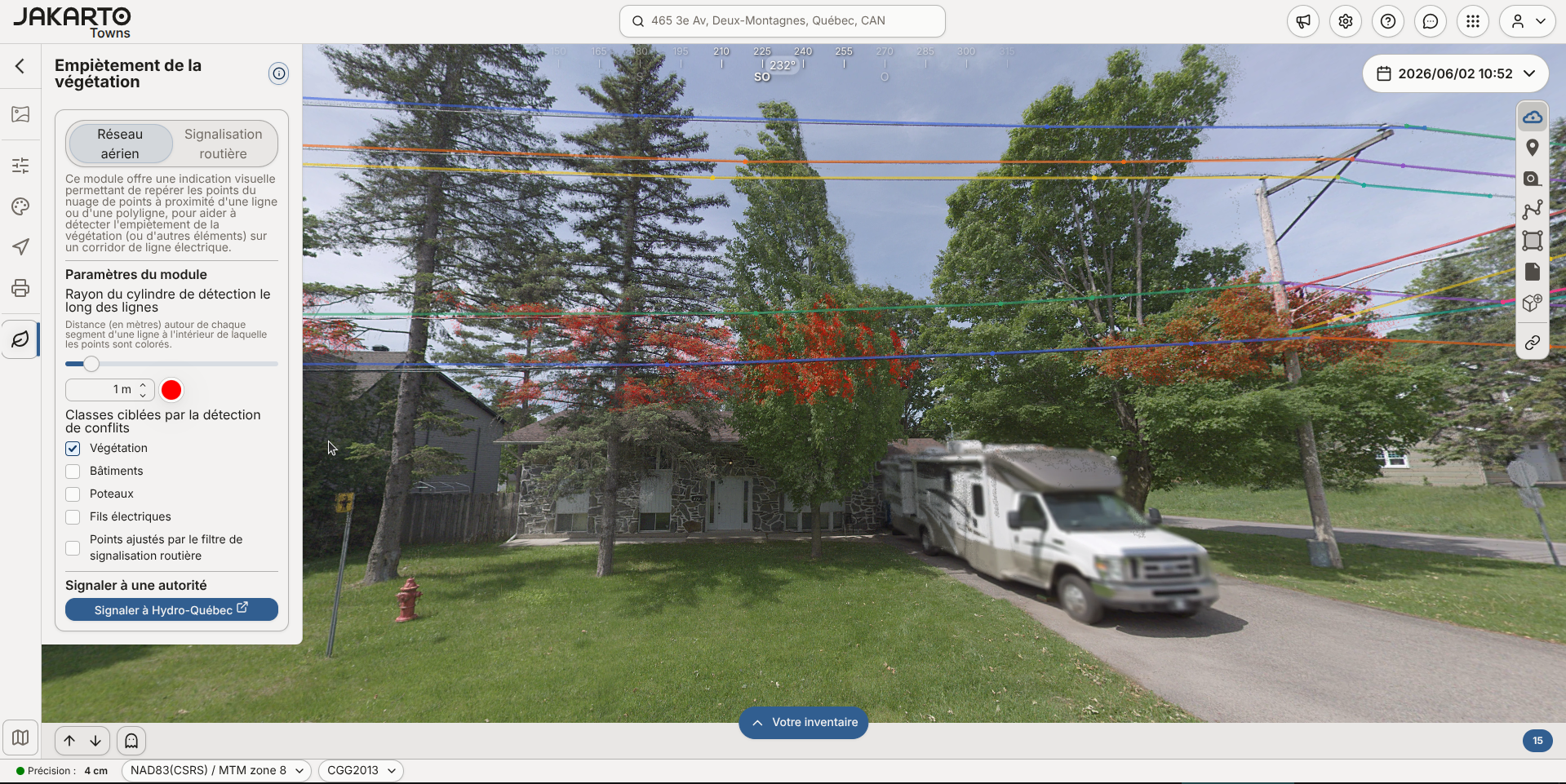
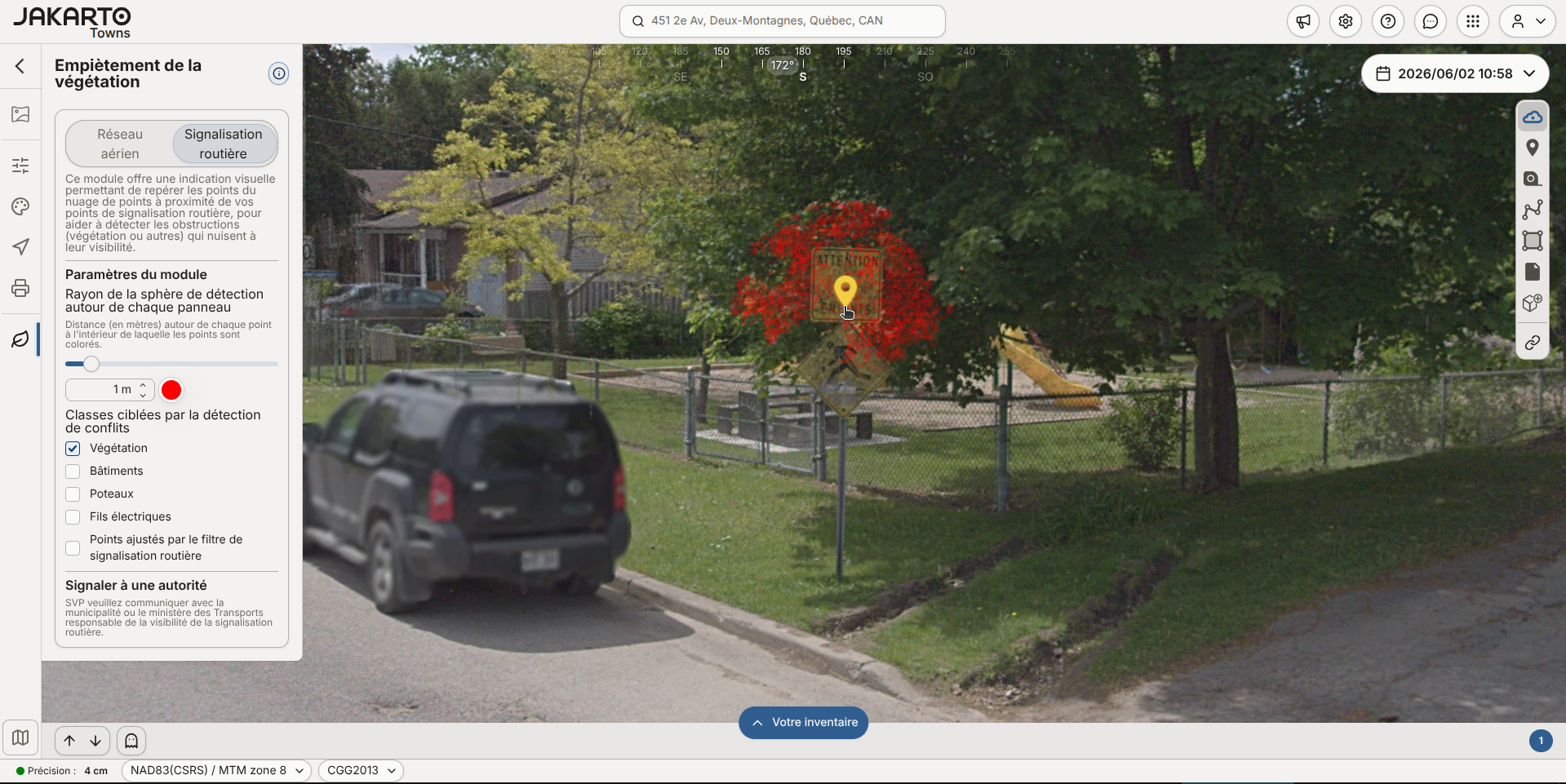
This module provides a visual indication that flags point cloud points located near a line, polyline, or road sign point, to help detect vegetation encroachment (or other obstructions) and prioritize your pruning or maintenance work.
## Overhead Network
This mode flags point cloud points near a line or polyline representing an overhead network cable, to help detect vegetation encroachment on a power or telecommunications line corridor.
To use this mode, first draw or import lines representing the overhead network cables (power or telecom).
## Road Signs
This mode flags point cloud points near your road sign points, to help detect obstructions (vegetation or other) affecting their visibility.
To use this mode, first add points representing road signs.
## Common Settings
For each of the two modes, you can adjust:
* the **detection radius** around each line or each sign, within which points are colored;
* the **color** of the detected points;
* the **target classes** for detection (vegetation, buildings, poles, power lines, etc.).
If you don't yet have a qualifying line or sign in your inventory, a **Load demo data** button lets you try the module with a sample dataset.
## Safety
> **Important**: Pruning or felling trees near power lines is dangerous — never attempt this work yourself.
The indication provided by this module is approximate and doesn't replace an on-site assessment by a qualified professional. The module also includes links to resources for working safely near power lines, and for the technical clauses that apply to pruning, land clearing, brush clearing, and tree felling.
### Reporting to an Authority
The module includes links to **report a situation to an authority**: Hydro-Québec, Hydro-Sherbrooke, Hydro One, NB Power, or NS Power depending on your region, for Overhead Network mode. If your utility isn't in this list, contact us to add the regional authority responsible for vegetation along the network.
For Road Signs mode, the report tells you to contact the municipality or transportation department responsible for road sign visibility.
## How to Enable It
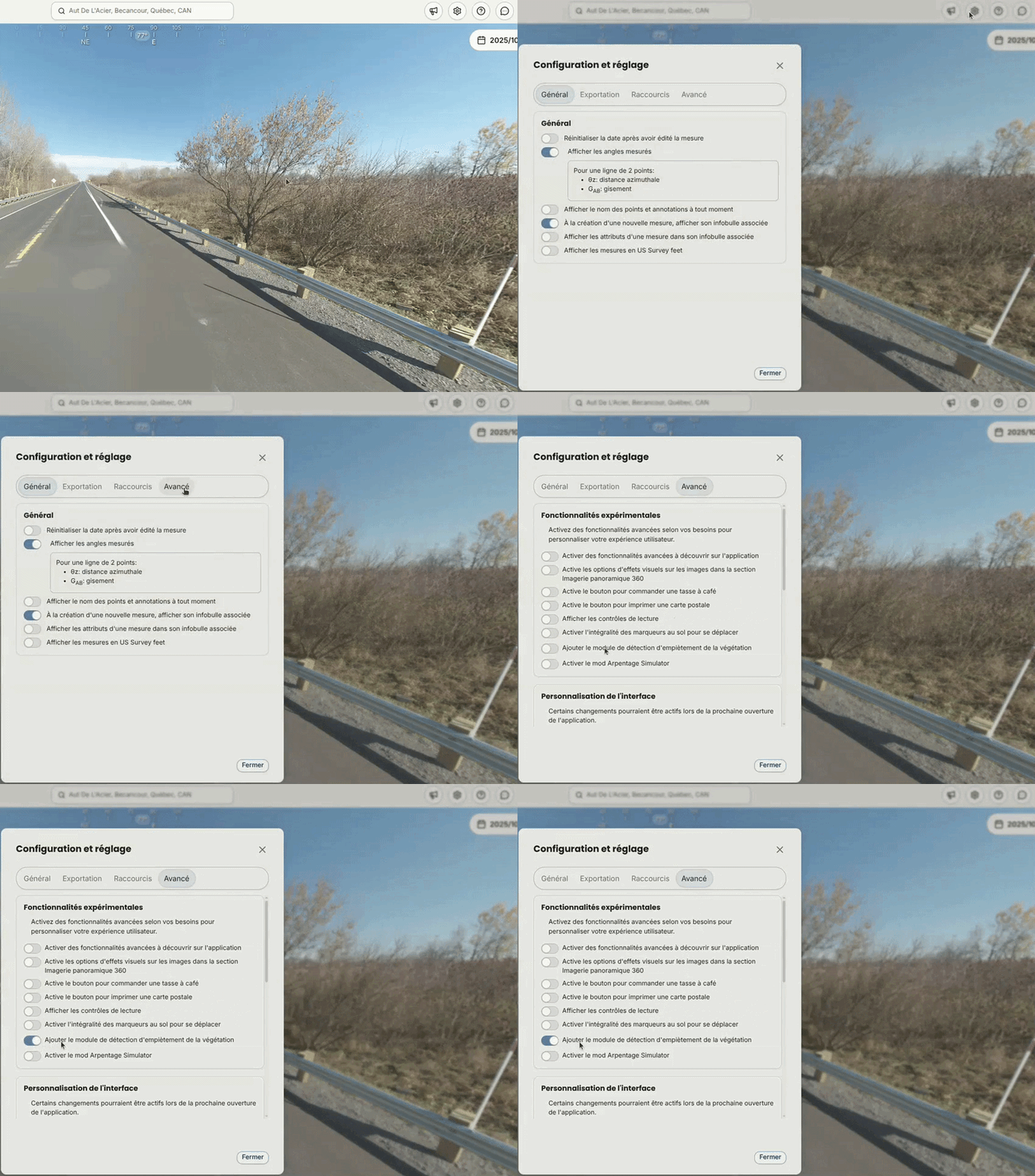
This module is optional and isn't enabled by default for all users.
To enable it, click the gear icon (**Configuration and settings**) at the top of the screen, open the **Advanced** tab, then enable the **Add the vegetation encroachment detection module** option in the **Experimental features** section.